 OMBRIX
First-Person Vehicle Camera Guide
VerifiedHow to Activate First-Person Vehicle Camera
An unfinished first-person perspective can be unlocked inside vehicles and on foot across PlayStation 5 and Xbox Series X/S consoles using a controller remapping workaround.
The method requires opening and dismissing your in-game Smartphone while rapidly cycling the camera input.
- Open Settings and go to the Controller tab.
- Change the controller mapping so the Touch Pad Button on PlayStation 5 or the View Button on Xbox switches from Map to Camera.
- Enter the driver seat of any car or vehicle by pressing Triangle on PlayStation or Y on Xbox.
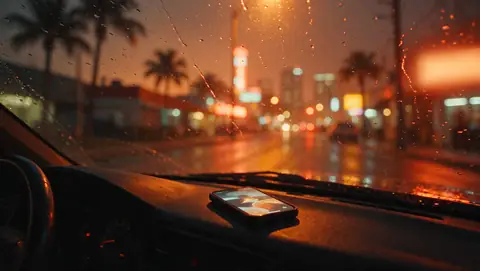
- Press Up on the D-pad to bring up your Smartphone.
- Dismiss the phone using Circle or Square on PlayStation or B on Xbox, then immediately tap the Camera button repeatedly until the view locks into first person.
How to Restore Default Third-Person View
The first-person perspective remains active until you refresh your game session.
To return to the default third-person camera, save your progress to a separate save slot and reload that save file.
FAQ
Does First-Person Vehicle Camera work on foot?
Yes. Activating the glitch inside a vehicle locks the camera into first-person view both while driving and on foot.
How do you turn off First-Person Vehicle Camera?
Save your game in an independent save slot and reload that file to reset the perspective back to normal third-person view.
Which platforms support this camera view workaround?
The input method works on PlayStation 5 and Xbox Series X/S.
Sources
- Telegram В GTA VI нашли способ играть от первого лица
- News GTA 6 Doesn't Officially Have First-Person, but You Can Force It to — Here's How to Do It
- News GTA 6 Players Discover a Trick to Unlock First-Person Mode
- News GTA 6 Glitch Discovered Allowing Access to First-Person Mode
- News GTA 6 first-person glitch lets you play as Jason and Lucia through their own eyes
- News GTA 6 Players Have Found a Surprising Way to Play in First Person Despite Rockstar’s Plans
- News How to Play in First Person in GTA 6? — GTABase
- News GTA 6 first-person mode glitch & how to use it
- News How to play GTA 6 in first-person
Found something new or wrong? Tell us in our Discord.
Related
 Gear
Smartphone
 Mechanics & tips
GTA 6 Character Switching Guide: How to Swap Protagonists
Mechanics & tipsHow to Spray Chemicals from the Crop Duster in GTA 6
Mechanics & tipsHow to Use the Excavator Claw in GTA 6
Mechanics & tipsHow to Use First-Person View in GTA 6
Mechanics & tipsGTA 6 Flight Controls Guide
Mechanics & tipsHelicopter Flight Controls Guide
Mechanics & tips